AI six pack & body editor for men

Add a six-pack to your gym photos.
It still looks like you.

Add abs, muscle and a sharper jawline. A green natural limit stops it looking fake.

Get it onGoogle Play Coming soon on theApp Store

Chisel is on Android for now. Tap the App Store badge and we'll email you the iPhone link the day it's out.

🔒 Manual edits on your phone ✨ Free to start · 3-day Pro trial 📱 Android now · iPhone soon · 18+
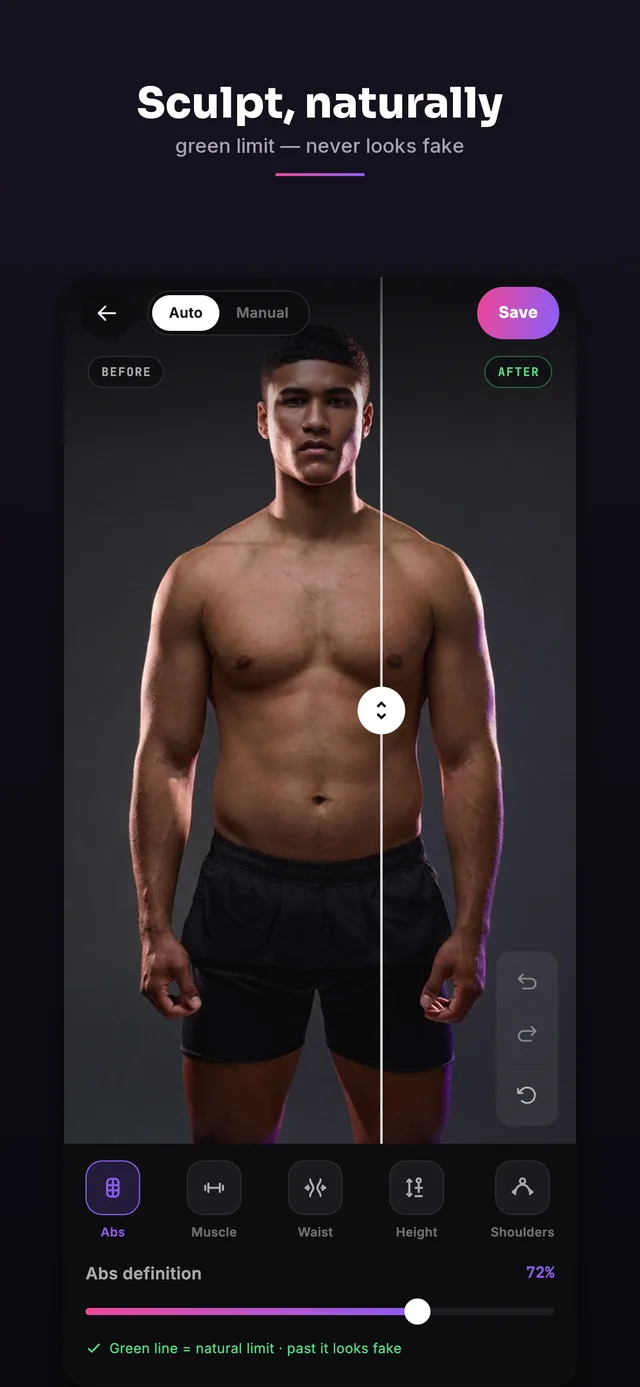
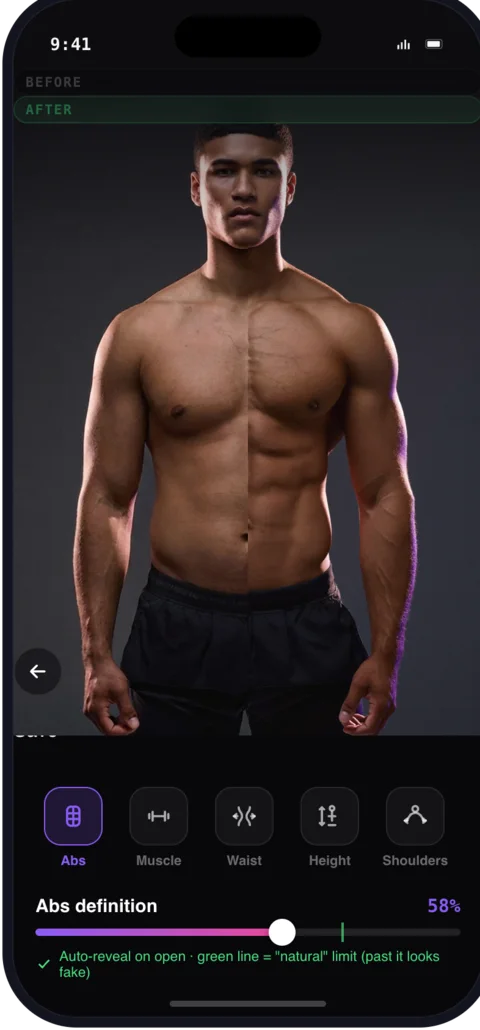
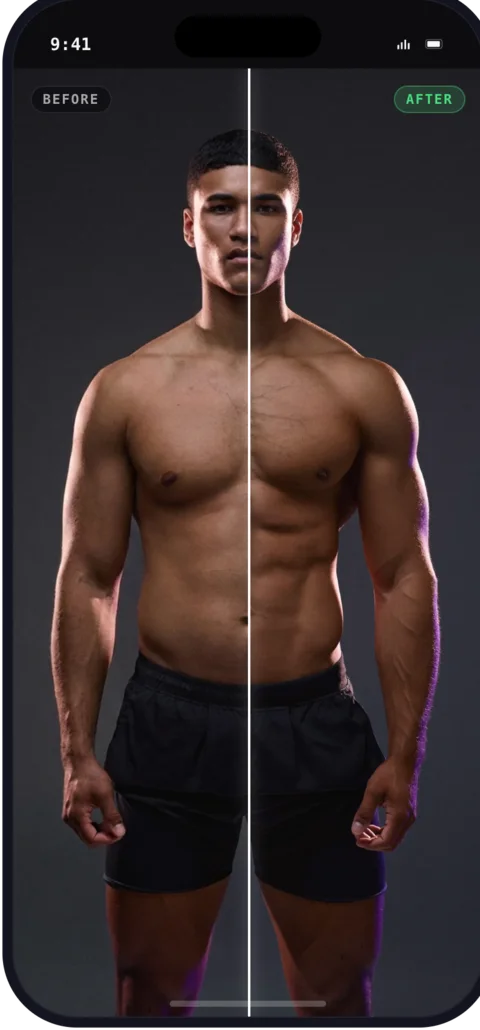
Before and after six-pack abs edit on a gym photo in Chisel Body sculpt tools adding muscle with the green natural-limit slider

A physique photo editor — not a beauty filter

Real tools for six-pack abs, muscle and a V-taper — the body editor for men gym photos deserve.

💪

Six-pack & abs editor

Add or sharpen ab definition naturally — the core six-pack maker for gym photos.

🏋️

Muscle & V-taper

Build chest, arm and shoulder volume and widen your V-taper — a real muscle editor for men.

🟢

Natural limit

Every slider shows a green zone. Push hard, stop before it looks fake — your photo still looks like you.

😎

Jawline & face

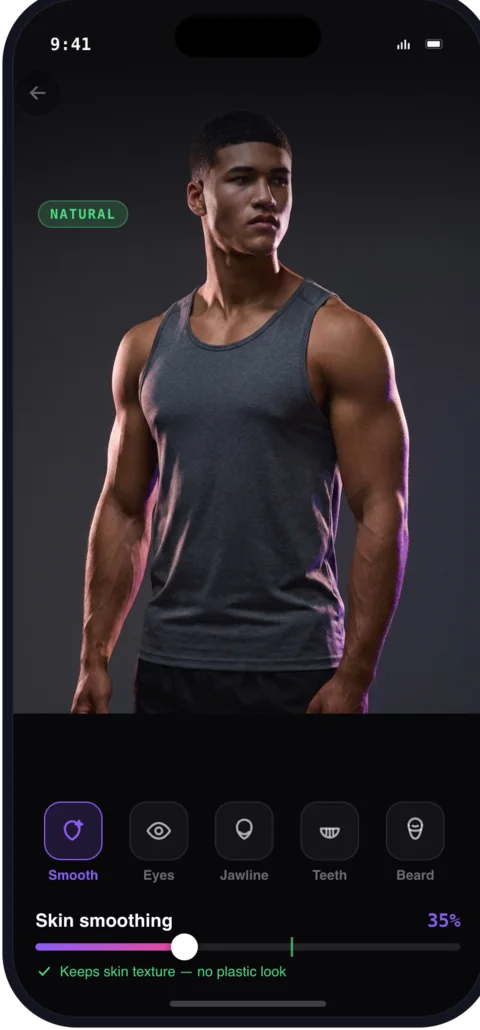
Sharpen the jawline and retouch skin, teeth and beard — subtle, masculine, physique-first.

🎬

Before/after reveal

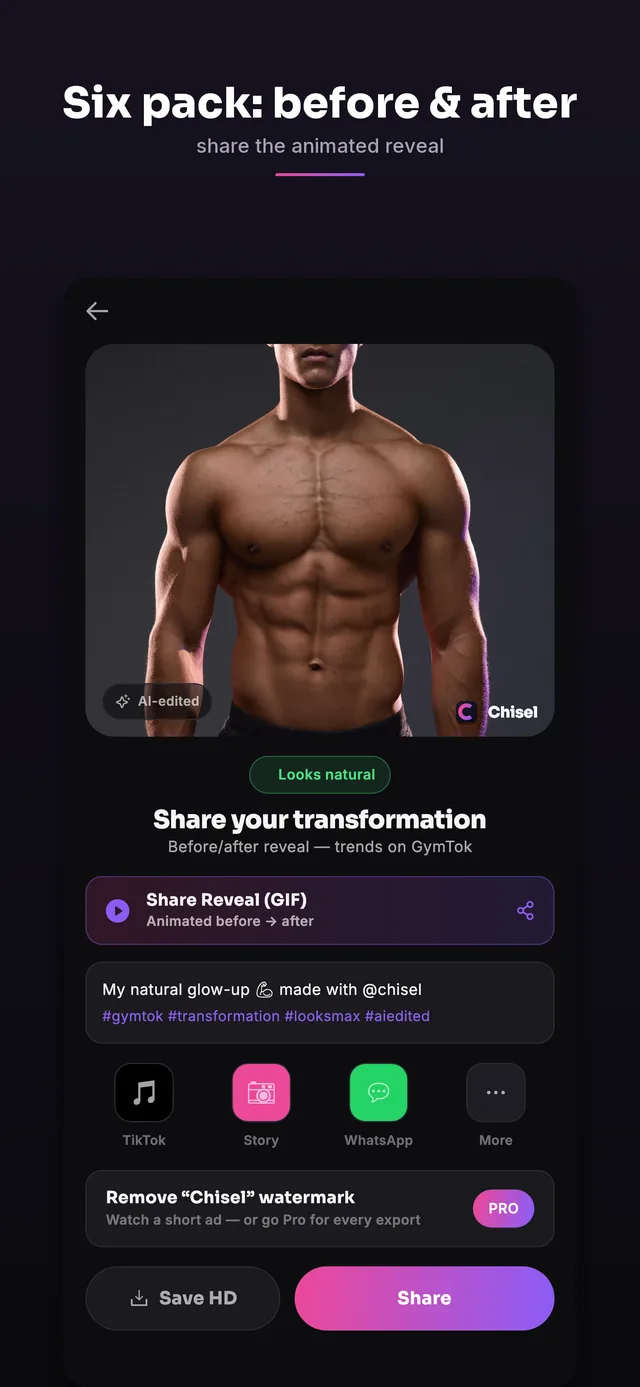
Share an animated reveal of the transformation — the format that trends on GymTok and Reels.

🖼

HD export & sharing

HD export, one-tap presets, collage and picture-in-picture layouts.

How to add abs to a photo

Three steps on your phone — no account needed.

Pick your gym photo

Choose a shirtless or fitted photo from your gallery. Chisel's AI detects your body and pose automatically.

Dial in the look

Drag Abs, Muscle, Waist, Shoulders and Jawline. The green natural-limit keeps every edit believable.

Export & share

Save an HD image or an animated before/after reveal, ready for Instagram and TikTok.

Get Chisel

Live on Google Play for Android. iPhone is coming soon — tap the App Store badge to get the link on day one.

Live on Google Play for Android.

iPhone is coming soon — tap the App Store badge to get the link on day one.

Chisel is on Android for now. Tap the App Store badge and we'll email you the iPhone link the day it's out.

See it in action

From gym photo to shared transformation — all on your phone.

Body sculpt screen adding abs and muscle in the Chisel body editor Face beauty editor in Chisel — jawline, skin, eyes, teeth and beard for men HD export and animated before/after reveal in Chisel Chisel Pro pricing with a 3-day free trial

Private by default. Honest by design.

Manual edits stay on your phone, cloud AI only when you choose it — and edits stay honest by design.

  • Manual editing tools run on your phone; the optional AI Transform sends your photo to a third-party cloud AI provider to generate the result, and it asks you first.
  • Natural limits keep results believable — no plastic look.
  • Edited images carry an AI-altered label in their metadata.
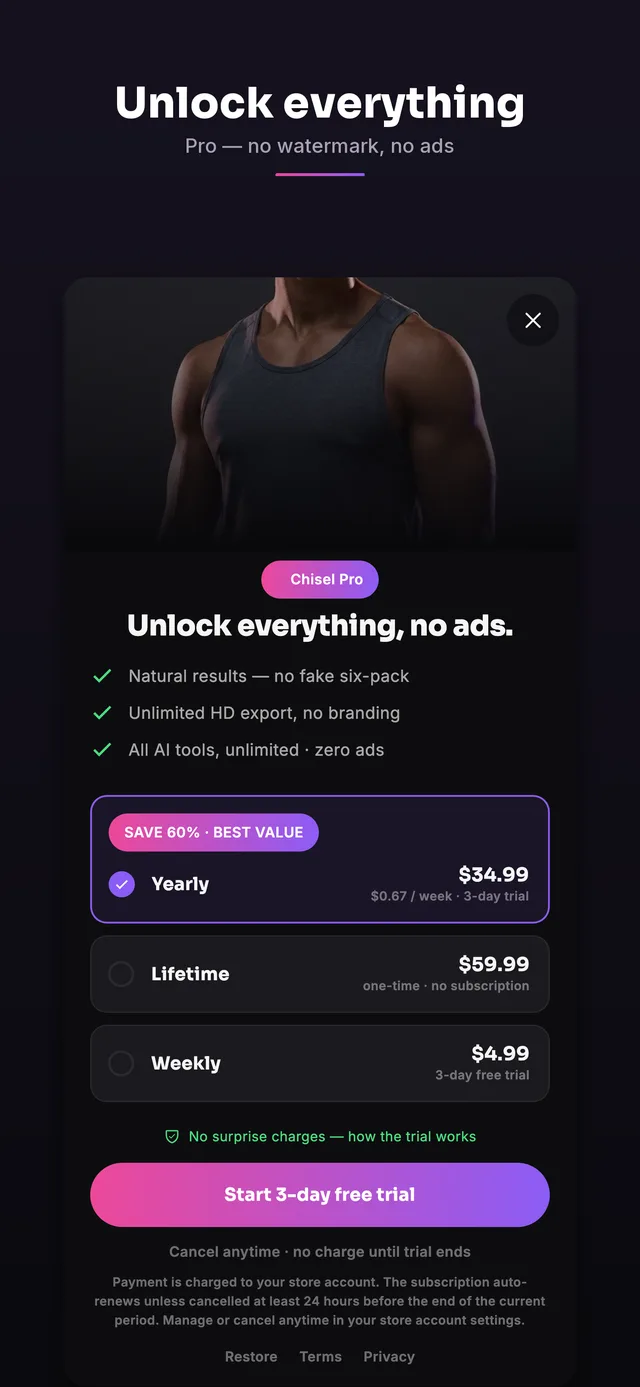
  • Every editing tool is free. Chisel Pro removes ads and the watermark and unlocks Pro templates, with a 3-day free trial — cancel anytime.
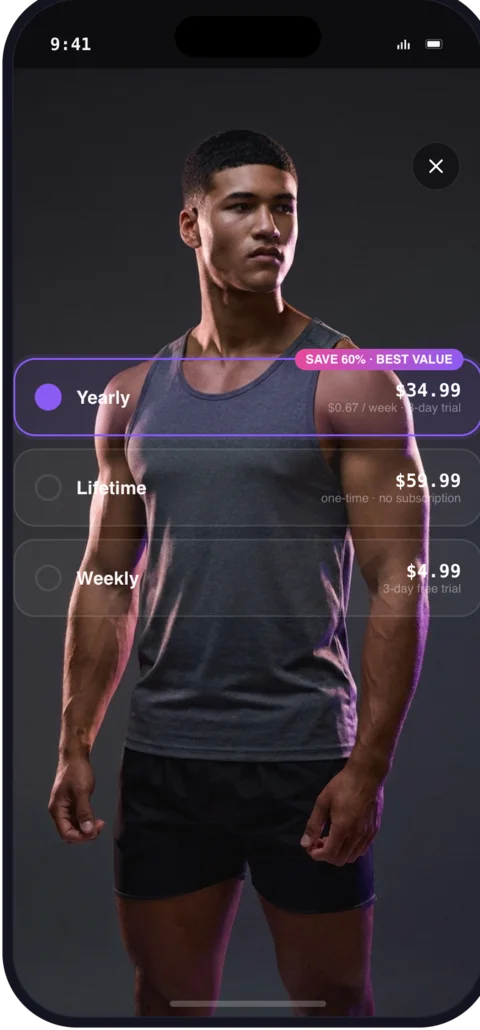
Chisel Pro unlock screen with pricing for the body editor

Latest from the blog

Posing, lighting and editing guides for gym and physique photos.

All articles →

Frequently asked questions

Adding abs and muscle to photos, pricing, and privacy.

How do I add a six-pack to a photo?

Open Chisel, pick your gym photo, then drag the Abs slider. Chisel's AI detects your torso and adds realistic ab definition within a natural limit marked in green, so it never looks fake. Export when you're happy.

Can I add muscle to a photo?

Yes. Chisel adds muscle volume to the chest, arms and shoulders, builds a V-taper, and can slim the waist — all with believable limits so your photo still looks like you.

Is Chisel free?

Every editing tool is free. Chisel Pro removes ads and the watermark and unlocks Pro templates, with a 3-day free trial. You can also buy it once with a one-time Lifetime purchase. Cancel anytime.

Is Chisel a body editor made for men?

Yes — Chisel is built for men's physique photos: six-pack and ab definition, muscle volume, V-taper, waist, jawline, skin and beard. It's a men's body editor, not a generic beauty filter.

Are my photos uploaded to a server?

Not for the manual editing tools — they run on your phone. The optional AI Transform is the exception: when you tap it, Chisel asks first, then sends that photo to a third-party cloud AI provider to generate the result. Edited images also carry an AI-altered label in their metadata, because honest edits age better than fake ones.

Which phones does Chisel support?

Chisel is on Android now, on Google Play. The iPhone version (iOS 16 and later) is coming soon to the App Store. It's made for adults (18+).

Is Chisel out yet?

Yes, on Android: Chisel is live on Google Play. The iPhone version is coming soon to the App Store — tap the App Store badge above to get the download link the day it goes live.

Do I need to be shirtless in the photo?

No — a fitted top works too. You'll get the strongest six-pack and muscle results on a shirtless or tight-fitting gym photo where your torso is visible.

Is Chisel an AI six-pack generator?

Chisel is more of a six-pack editor than a generator — it adds realistic ab definition to your own gym photo within a natural limit, so the result is still you, not a made-up body.