How to Fix Uneven Lighting in a Selfie
Published
Quick answer
To fix uneven lighting in a selfie, face a single light source before you shoot, then even out what's left with a one-tap brightness and contrast preset. Chisel's Relight presets adjust the whole photo, not just one shadowed side.
Key takeaways
- Face one light source instead of standing between two different ones.
- Window light is usually softer and more even than overhead gym lighting.
- Chisel's four Relight presets adjust brightness and contrast across the whole photo.
- Fixing the light before the shot works better than trying to erase a hard shadow after.
- Check the edit at full size before sharing, since small shadows can look obvious zoomed in.
The fastest way to fix uneven lighting in a selfie is to catch it at the camera first, then clean up what's left with a one-tap brightness and contrast preset. A shadow on face in selfie shots almost always comes from one light source fighting another, and no editor can fully erase that after the fact — but you can balance it.
What causes uneven lighting in a selfie?
Most uneven lighting comes from two competing light sources — a window on one side of your face and an overhead light on the other, or a lamp that's closer to one shoulder than the other. The result is a bright patch on one side and a dark patch on the other, with a hard line between them.
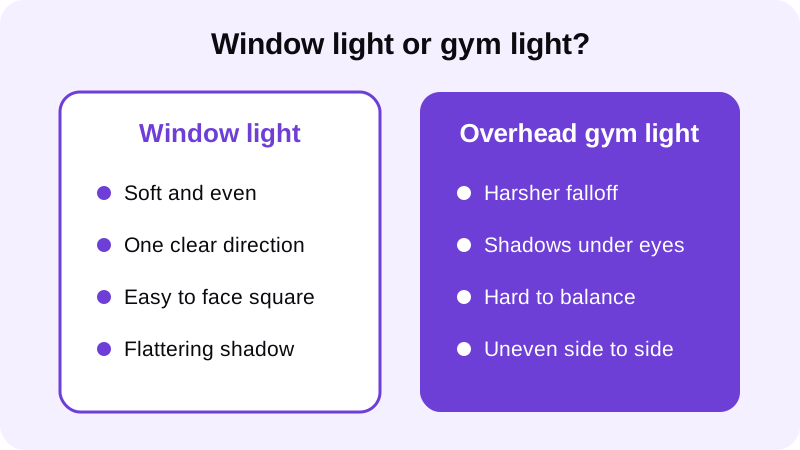
Gym mirrors and overhead rigs make it worse because the fixture sits above and behind you, throwing a shadow down across your eyes and jaw while leaving your chest and shoulders evenly lit from the front. A single lamp pulled in close can also blow out one cheek while leaving the other side noticeably darker — the closer the source, the sharper that line becomes.
How do you prevent uneven lighting before you shoot?
The cleanest selfie lighting fix happens before you press the shutter, not after. Turn so a single light source — a window, a doorway, an open stretch between gym lights — sits directly in front of you rather than off to one side.
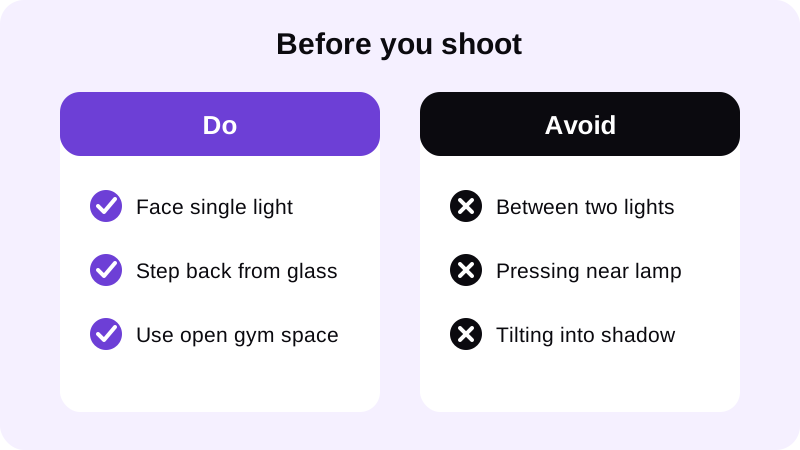
Standing between two lights is the most common mistake — it feels brighter overall, but it guarantees a seam right down the middle of your face and torso. If you're outdoors, an overcast sky acts like a giant soft light from every direction, which is why overcast shots rarely show this problem at all. For more detail on getting the light right before you even open the camera app, see this guide to lighting for gym progress photos.
How do you fix uneven lighting in a selfie after the shot?
If the shadow is already baked into the photo, Chisel's Relight tool is the fastest cleanup available. It's four one-tap presets — Studio, Soft, Warm and Dramatic — that adjust brightness and contrast across the whole image at once, rather than a directional light you can drag to one side.
- Open the photo in Chisel and pick a shot where the shadow is visible but not pitch black — a preset can't recover detail that's already lost.
- Tap Relight and try Studio first. It tends to even out contrast without pushing the whole photo too bright or too flat.
- If Studio looks too harsh, try Soft or Warm instead. Each gives a different balance of brightness and tone, so compare a couple before settling.
- If the torso still looks patchy, the Smooth filter evens out texture across the entire photo — it's a whole-photo smoothing pass, not a spot fix.
- Export in HD and view it at full size before you share it. A shadow that looks subtle on a small phone screen can look obvious once someone zooms in.
None of this requires an account or an upload of your photo to do the basic cleanup — the sliders, Relight and Smooth filter all run on your phone. The only tool that leaves your device is the optional AI Transform, which asks first and is used for a different job entirely: adding definition to a visible torso, not fixing lighting.
How do you keep the edit looking natural, not fake?
The goal with any selfie lighting fix is for nobody to notice it was edited at all. That means stopping before the photo looks artificially bright or flat, and checking that skin tone still looks consistent with the background and clothing around it.
Compare the Relight result against the original before you commit to it. Chisel marks an edited photo with an AI-altered label in its metadata, so being upfront about an edit is built into the workflow rather than something you have to add yourself. If you're preparing a selfie for a profile or a share, it's worth reading through the broader checklist in how to make a selfie look professional, since even lighting is only one piece of a polished shot. Posture and angle also affect how shadows fall across your face and shoulders — improving posture in a selfie is a quick companion fix worth checking at the same time.
Every slider and preset in Chisel includes a natural limit marked in green, which is really just a reminder that the best edit is the smallest one that solves the actual problem. For uneven lighting, that's usually one Relight preset and nothing else — not a stack of adjustments trying to force a shadow to vanish.
FAQ
Can Chisel remove a shadow from one side of my face?
Not directly. Chisel doesn't edit the face, and its Relight tool adjusts brightness and contrast across the whole photo rather than targeting one shadowed area. For a hard shadow line, reposition toward a single light source and reshoot.
What does Chisel's Relight tool actually do?
Relight offers four one-tap presets — Studio, Soft, Warm and Dramatic — that adjust the brightness and contrast of the entire image. It's not a directional light you can drag to one side; it's a global adjustment.
Is window light better than gym lighting for an even selfie?
Usually, yes. Window light tends to be softer and spread more evenly across your face and torso, while overhead gym fixtures sit above and behind you, often casting harder shadows under the eyes and along the jaw.
Will cranking up a Relight preset fix a strong shadow?
Not reliably. Pushing a preset hard enough to lift one dark side usually overexposes the rest of the photo. If a preset looks blown out everywhere just to fix one patch, the lighting was too uneven to begin with.
Does Chisel upload my selfie to fix the lighting?
No. Relight and the other manual tools, including the sliders and Smooth filter, run on your phone. Only the optional AI Transform sends a photo to a cloud provider, and it asks first before doing so.